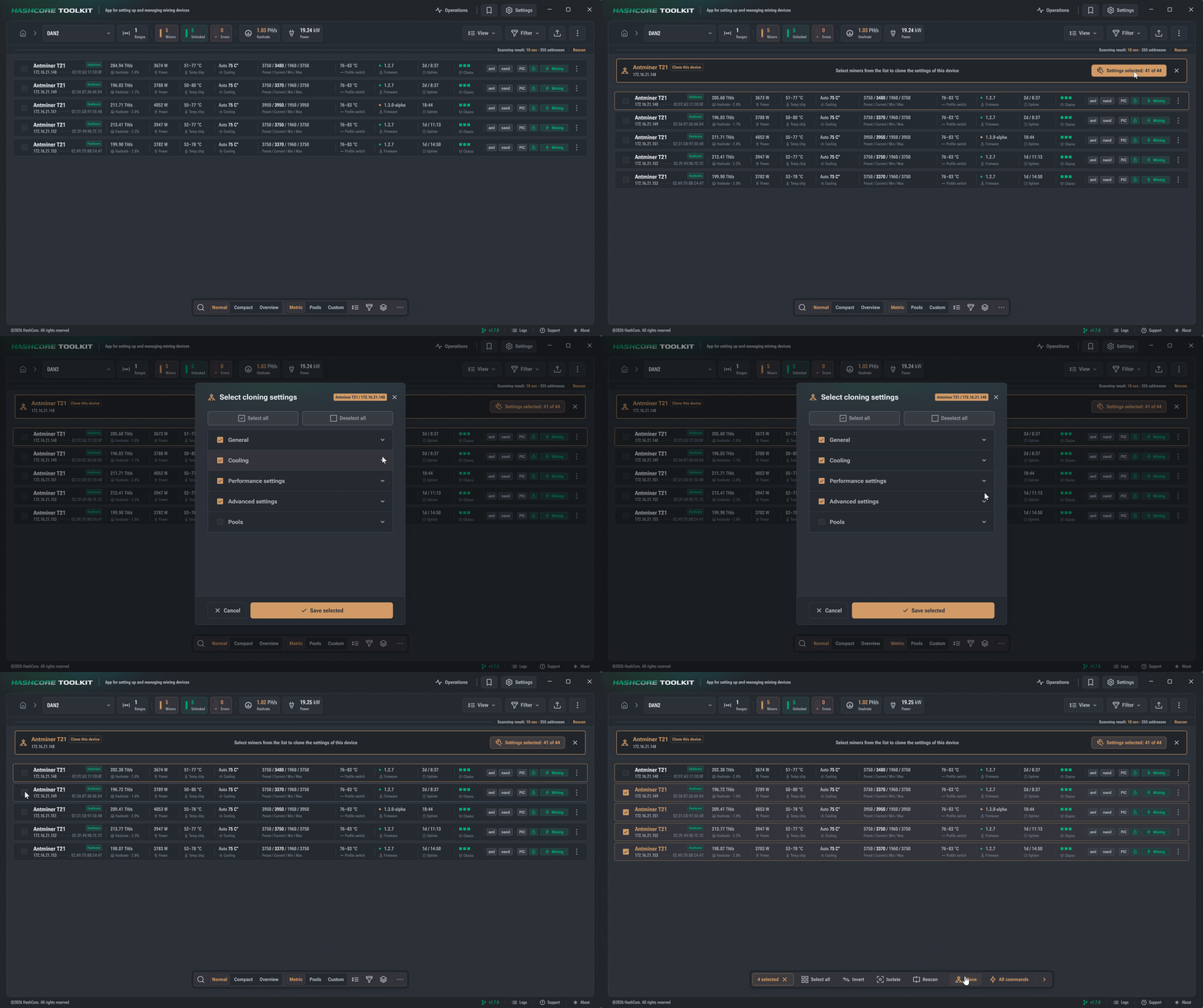
The cloning feature allows you to transfer identical settings to a large number of miners on the same network within the same miner model. However, you can transfer only a portion of the settings (for example, only the hashing mode parameters – preset).
To do this, you need to configure one of the miners (set pools, cooling parameters, the miner’s hashing mode (preset) and other necessary settings).
Download and open Hashcore Toolkit
When running the Toolkit program for the first time, you need to specify the network range where the miners are located in order to start interacting with them.
-
- Click the + New group button
- In the window that opens, on the Ranges tab, specify: group name, group description, and network range, e.g. 192.168.1.1 – 192.168.1.255

-
Open the miner group we created:
– Select the configured miner from the list from which you want to transfer the settings to other devices and click “Clone Miner.”
– Next, in the “Clone Settings” section you can select the necessary parameters for cloning (they are divided into sections) and click “Save Selected.”
– Select miners within the same model to which you want to transfer the settings and click “Clone” to complete the process.